
How to Set-Up Regular Giving
What is Regular Giving?
Regular Giving allows donors to set-up an automated recurring donation for your campaign rather than a one-off donation. This can be scheduled to process on a weekly, monthly, or yearly basis. It is an ongoing commitment from the donor for the same amount each time and processed via credit or debit card. PayPal is not available for regular giving.
How to enable Regular Giving for your campaign
Ensure you are logged into your Chuffed account
Open your campaigns dashboard (https://chuffed.org/dashboard)
Click the ‘Manage’ button to Edit your campaign
Select Donation Form under Optional Features → Customize
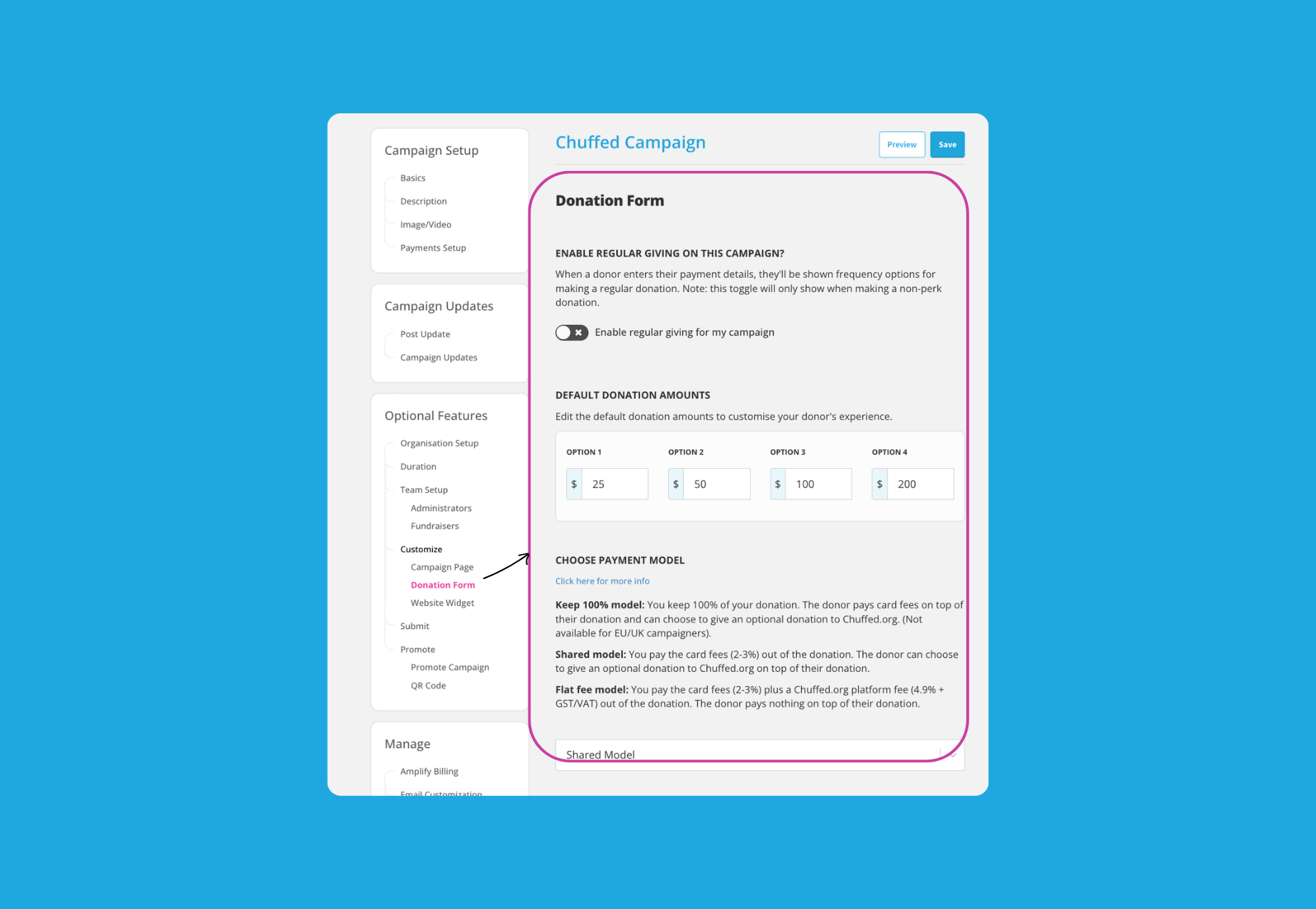
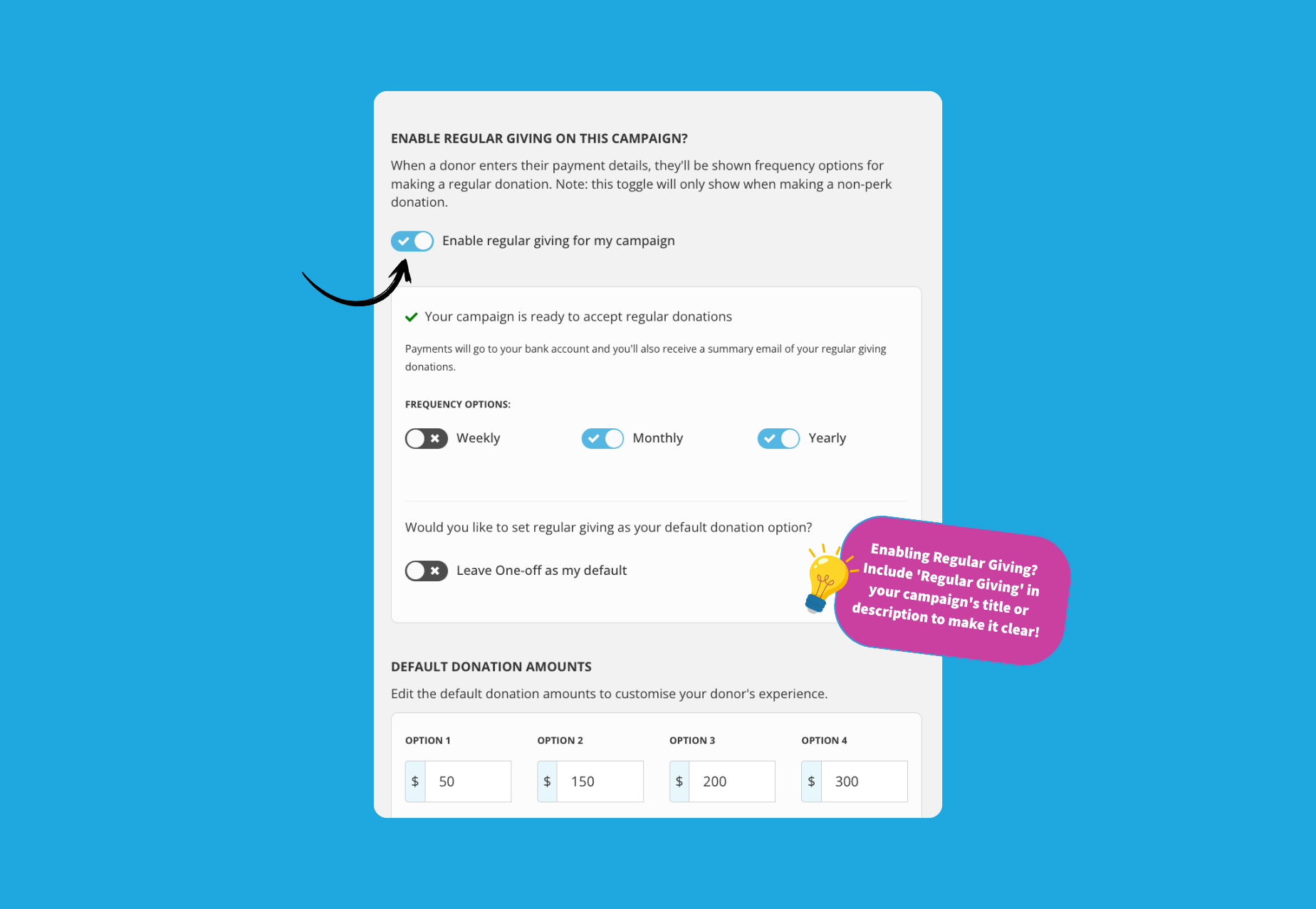
Toggle ON ‘Enable regular giving for my campaign’
Note: You will only be able to enable this once your campaign has a Stripe account set-up.
Choose the Frequency options - Weekly, Monthly and/or Yearly.
Toggle the setting ON if you would like regular giving as your default donation option.
Choose your Default Donation Amounts. Donors will still be able to donate a custom amount on the donation page.
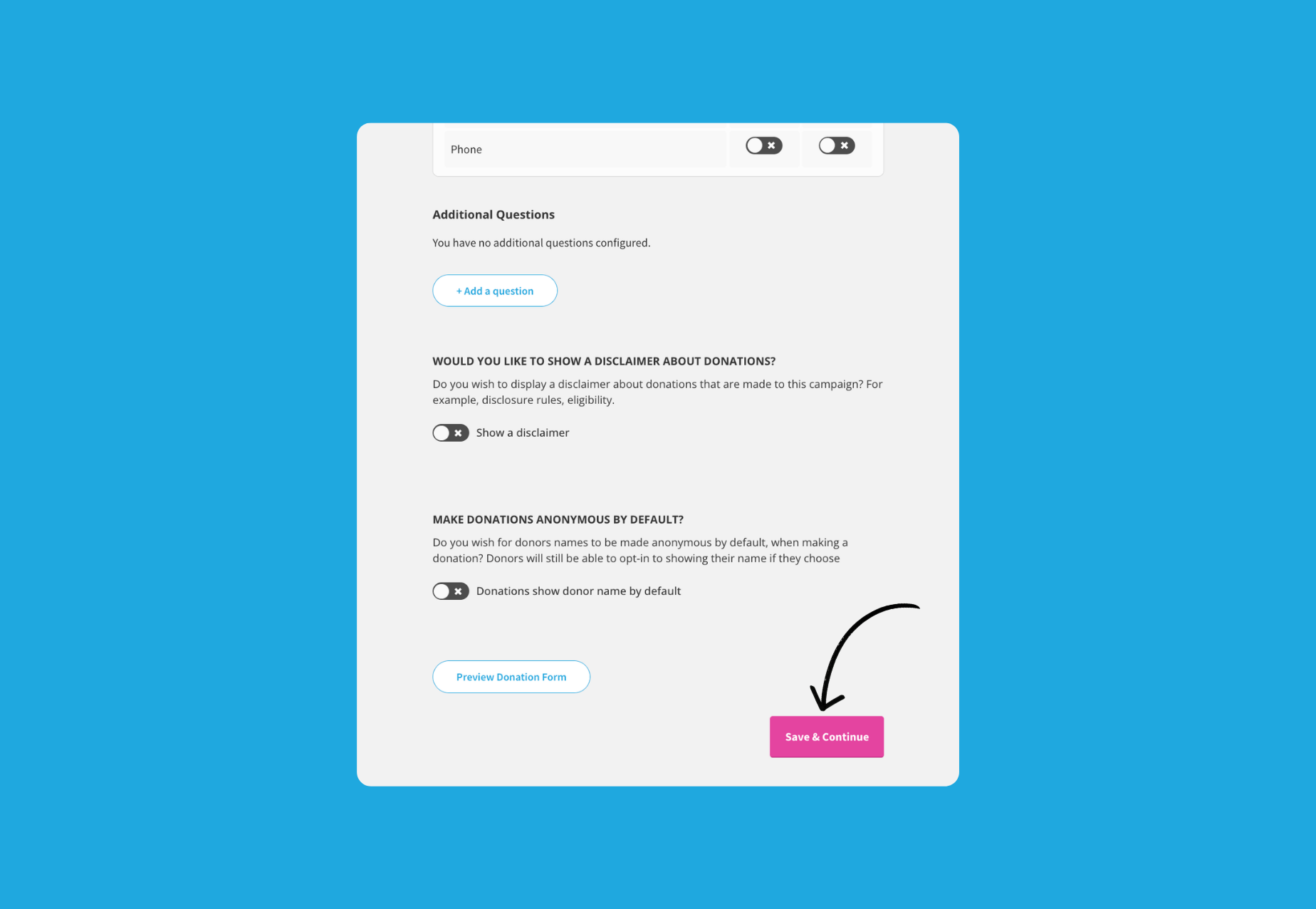
Click the ‘Save & Continue’ button to finalise
Refresh your live campaign page to see the changes updated.
Frequently Asked Questions
How do I cancel a donor’s regular giving?
Please email support@chuffed.org from your campaign email account stating your campaign name and the donor’s name requesting cancellation and we’d be happy to assist.
My campaign has ended. Why am I still receiving regular giving donations?
You will need to contact support@chuffed.org when you end your campaign to notify us that you would like to cancel all regular giving donations.