
Adding a Webhook to your Campaign
Get notified the instant a donation comes in
A webhook lets your own server hear about activity on your campaign in real time — no need to refresh your dashboard or wait to download this data from reports manually.
What it does
When you add a webhook to a campaign, you give us a URL that belongs to you — your own server, a Zapier hook, whatever you like. From then on, when a matching event happens on that campaign, we send it there automatically as an HTTPS request, within seconds of it happening.
Today that means one thing: a donation is confirmed. We'll add more events over time.
How it works
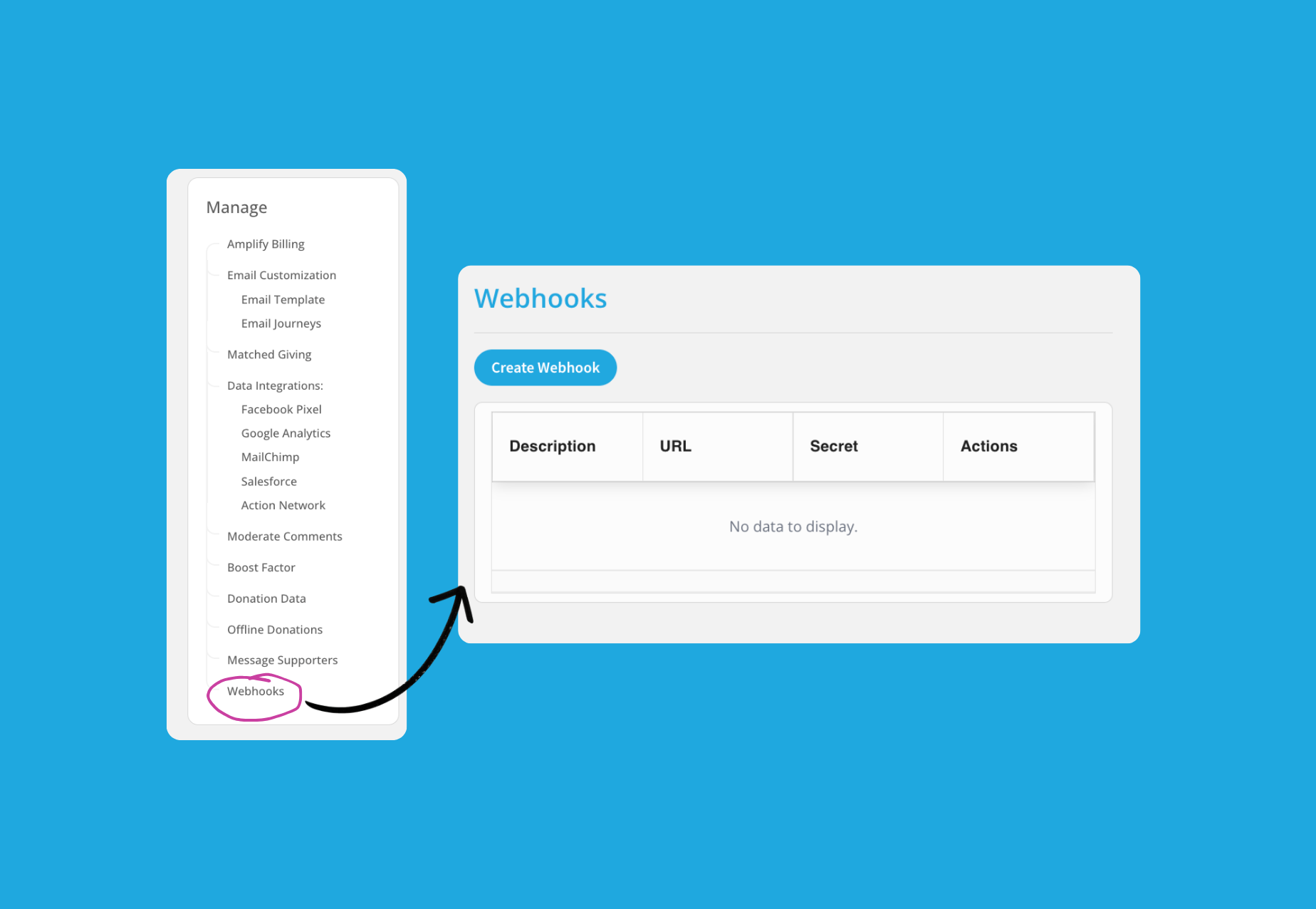
Add a webhook — Under your campaign's Manage tab > Click on Webhooks > ‘Create Webhook’
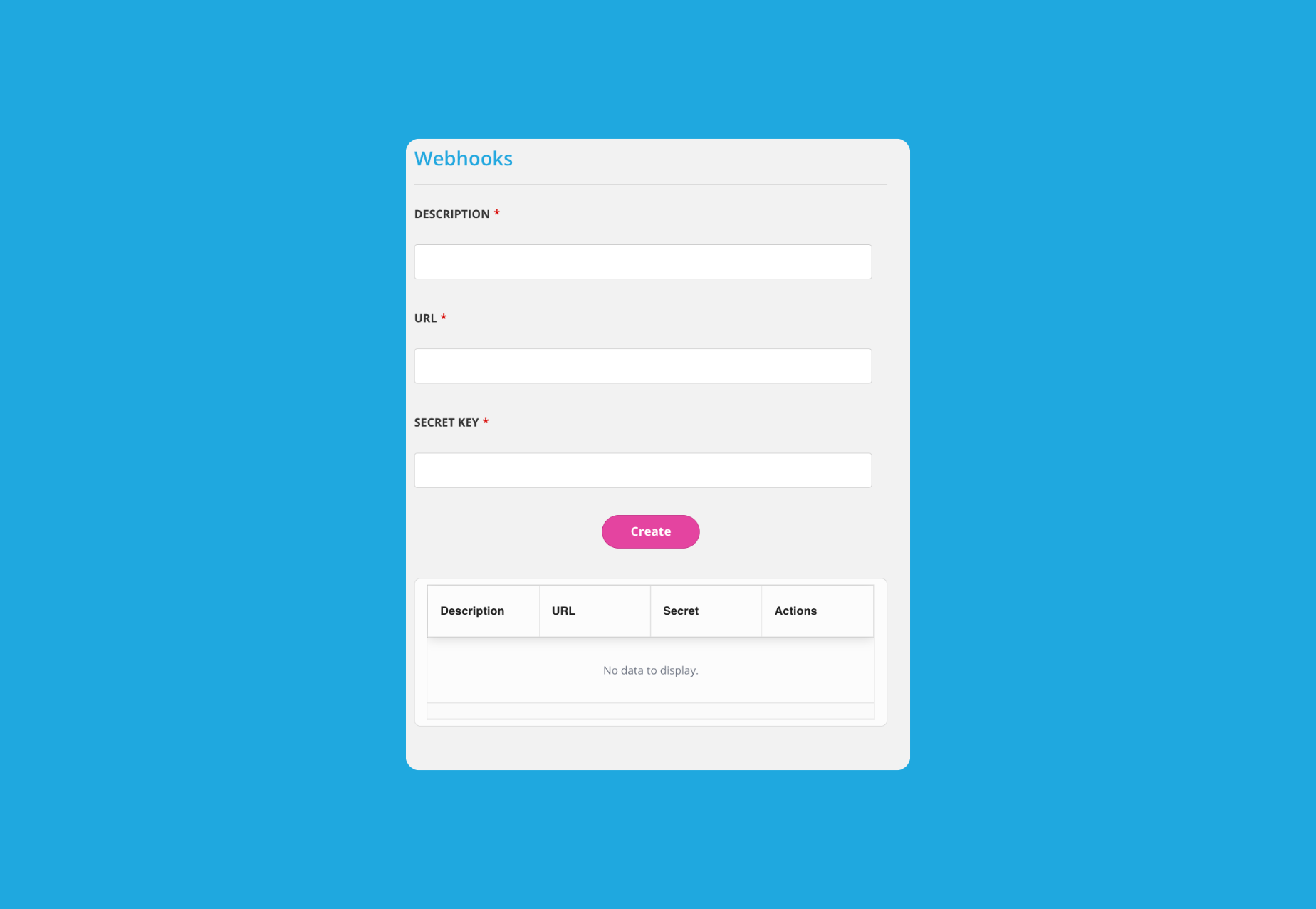
Setting Up the Webhook:
Each webhook has three parts, all required:
Endpoint URL — Where events are sent. Must be a URL you control, reachable over HTTPS.
Description — A label for you. Helps you tell webhooks apart if you add more than one — e.g. "Zapier — thank-you emails".
Signing secret — A value you choose and supply. Your server uses the same value to prove requests came from us, so store it somewhere your code can read it. Treat it like a password: long, random, and never committed to source control. See below.
All three can be changed later by editing the webhook.
A donation is confirmed — Someone completes a donation to your campaign and the payment clears.
We send you the details — A signed POST request lands at your URL with the donation payload as JSON.
Your server confirms receipt — Respond with any 2xx status within 10 seconds and delivery is marked successful.
Verifying it's really us
Anyone could send a fake POST to your endpoint claiming to be a $10,000 donation. That's what the signing secret is for. Every request we send includes a Signature header — an HMAC-SHA256 hash of the request body, computed with your secret. Recompute it yourself and compare before you trust the payload.
Verifying the signature (Node.js example)
// Use the raw request body exactly as received — don't re-parse
// and re-stringify it (re-serializing can reorder keys or change
// whitespace, which will break the signature match)
const crypto = require('crypto');
const expected = crypto
  .createHmac('sha256', YOUR_SIGNING_SECRET)
  .update(req.rawBody)
  .digest('hex');

if (expected !== req.headers['signature']) {
  return res.status(401).send('Signature mismatch');
}
If your secret ever leaks, edit the webhook and enter a new one. Update the value your server checks against at the same time, or signatures will stop matching.
Events you can subscribe to
Event | Fires when… |
|---|---|
| A donation to your campaign has been made and payment is confirmed. |
Retries and delivery logs
If your server doesn't respond within 10 seconds, or returns anything other than a 2xx status, we retry automatically - up to 5 attempts in total. The delay between attempts grows quickly: roughly 10 seconds, then ~2 minutes, then ~17 minutes, then just under 3 hours. If the final attempt still fails, delivery is marked as failed and no further retries are made.
Every attempt — success or failure, with status code — is recorded and viewable from the Webhooks panel, so you can see exactly what was sent and what came back.
We verify your endpoint's SSL certificate, so self-signed certificates won't work.
Troubleshooting
Not receiving anything? Check the delivery log first — it shows whether we attempted delivery and what response your server gave.
Getting duplicates? Retries can occasionally overlap with a delayed original response. Make handling the same donation ID twice a no-op on your end.
Signature not matching? Hash the raw request body exactly as received, using the current secret on the webhook — don't parse and re-stringify it first, since that can reorder keys or change whitespace and break the match. If you've rotated the secret recently, check your server is using the new value, and consider accepting both secrets during a rollover period.
Still stuck? Contact support@chuffed.org with your campaign name and the webhook's endpoint URL, and we'll pull up the delivery log on our side.