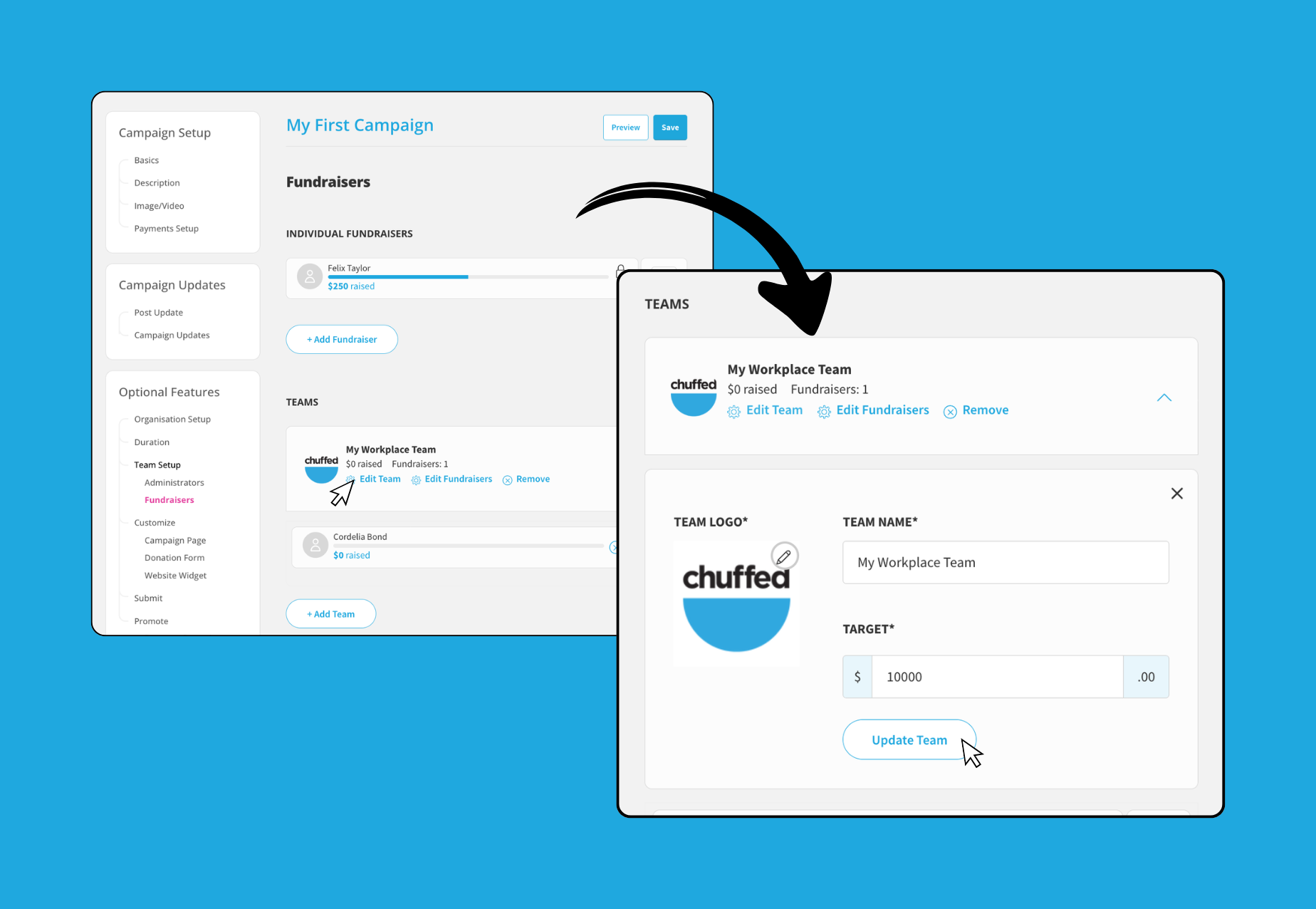
Managing Fundraiser & Team Pages
Haven’t enabled Fundraisers or Teams yet? Check out our Creating Fundraiser & Team pages support article first.
As the campaign manager, you might receive requests from fundraisers wanting to edit their Fundraiser page. You can assist them in a couple of ways:
Share this handy guide to allow them to edit their own page
Make the changes for them
The steps below will guide you through editing an individual Fundraiser page for them.
Edit an individual Fundraiser page
Once you’ve created a Fundraiser page, you can edit the page at any time. To start editing a Fundraiser:
Open the campaign editor and ensure you are logged in
Select Fundraisers under Optional Features →Team Setup
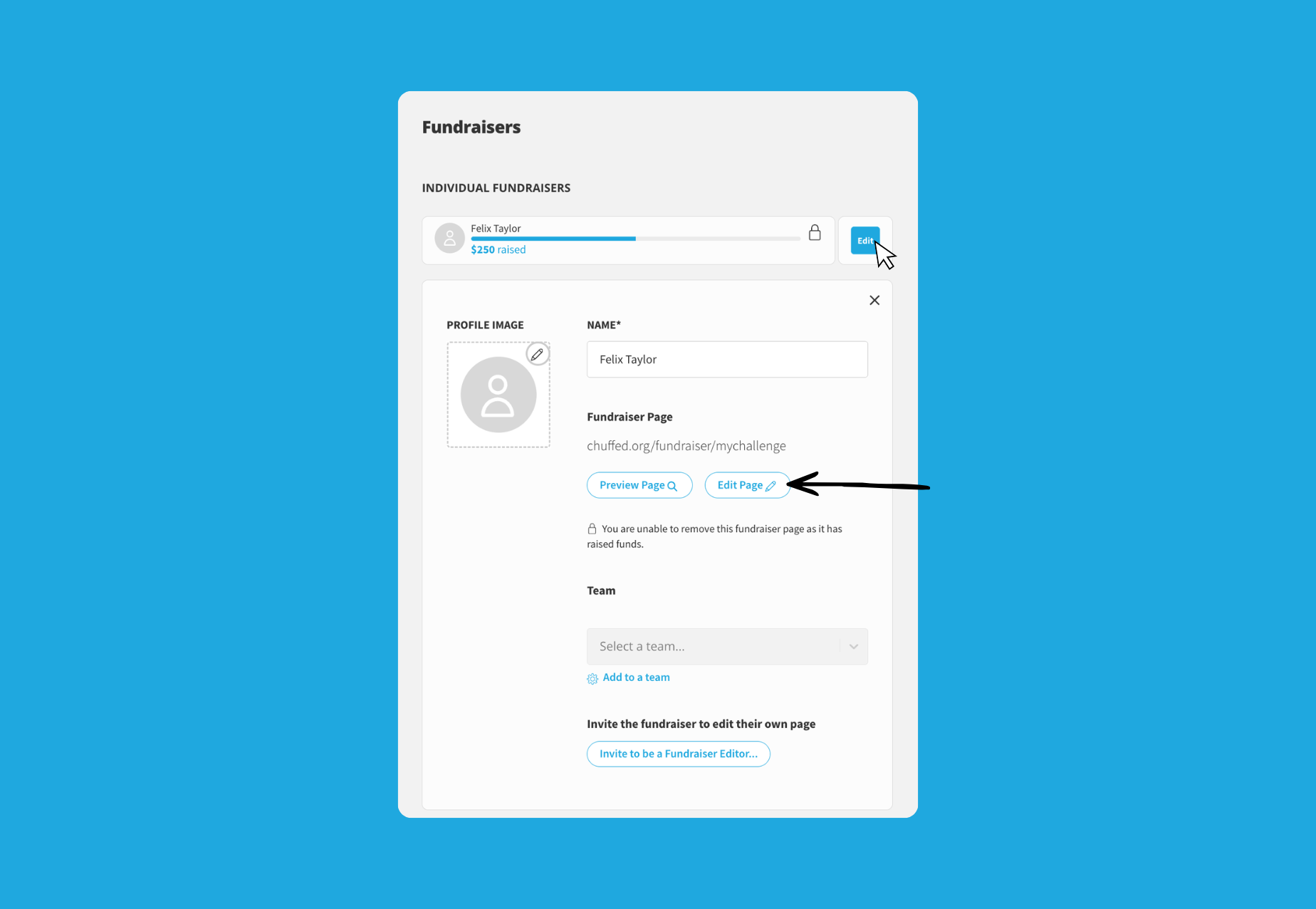
Look for the Fundraiser you would like to update and click the ‘Edit’ button
Once the edit form is expanded you should see a few fields to quick edit: You can update the Fundraiser Name, profile image or add to a team
To update the page description, click the ‘Edit Page’ button
This should open a more detailed form for you to update all details.
Looking for steps for Fundraisers to edit their own page? Share this support article for supporters: Editing your fundraiser page once it’s created
There are three sections of the fundraiser page for you to edit:
Details
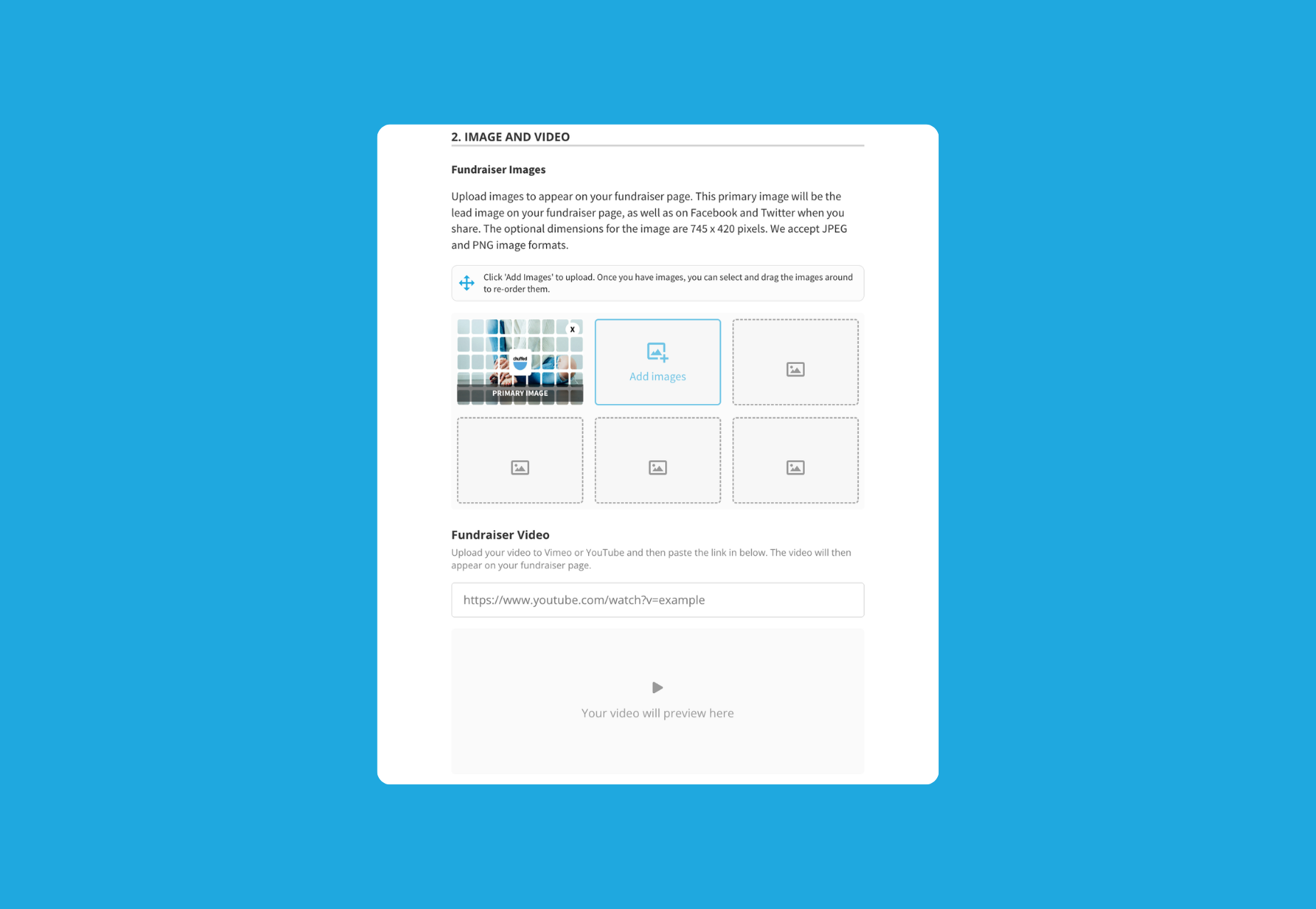
Image and Video
Fundraiser description
Details
Here’s where you can edit the general details of the fundraiser page.
💡Tip: Choose a descriptive fundraiser name and customise the fundraiser URL so that the page is easy to read and share.
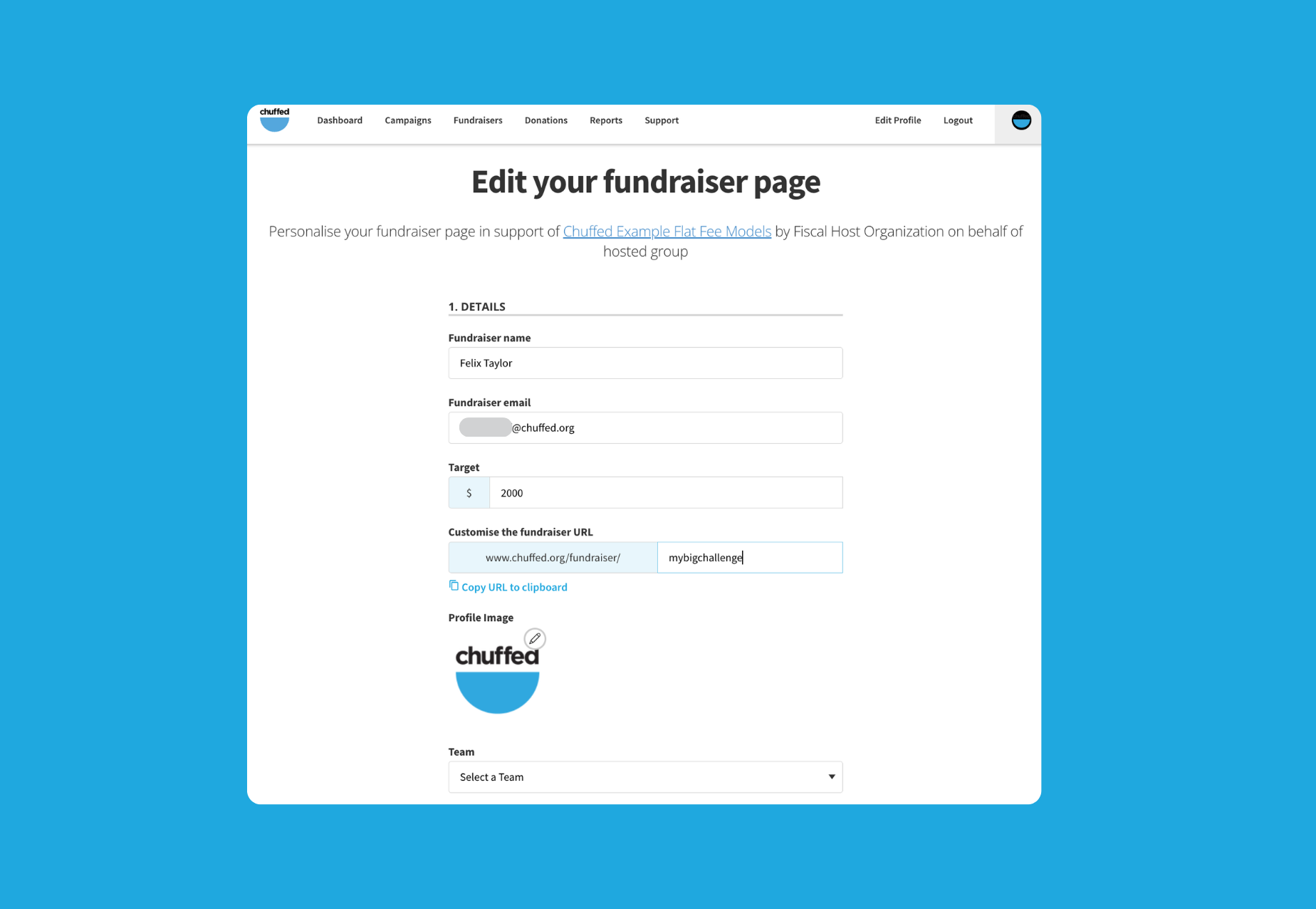
Image and Video
You can upload images or link to a video to demonstrate fundraising efforts visually to donors visiting the page.
💡Tip: Add images that show a personal connection to the campaign, why they’re fundraising and how they’re showing support.
Fundraiser description
Here’s where you can customise the page description.
💡Tip: Use headings and formatting to organise the description so that supporters can easily read the page.
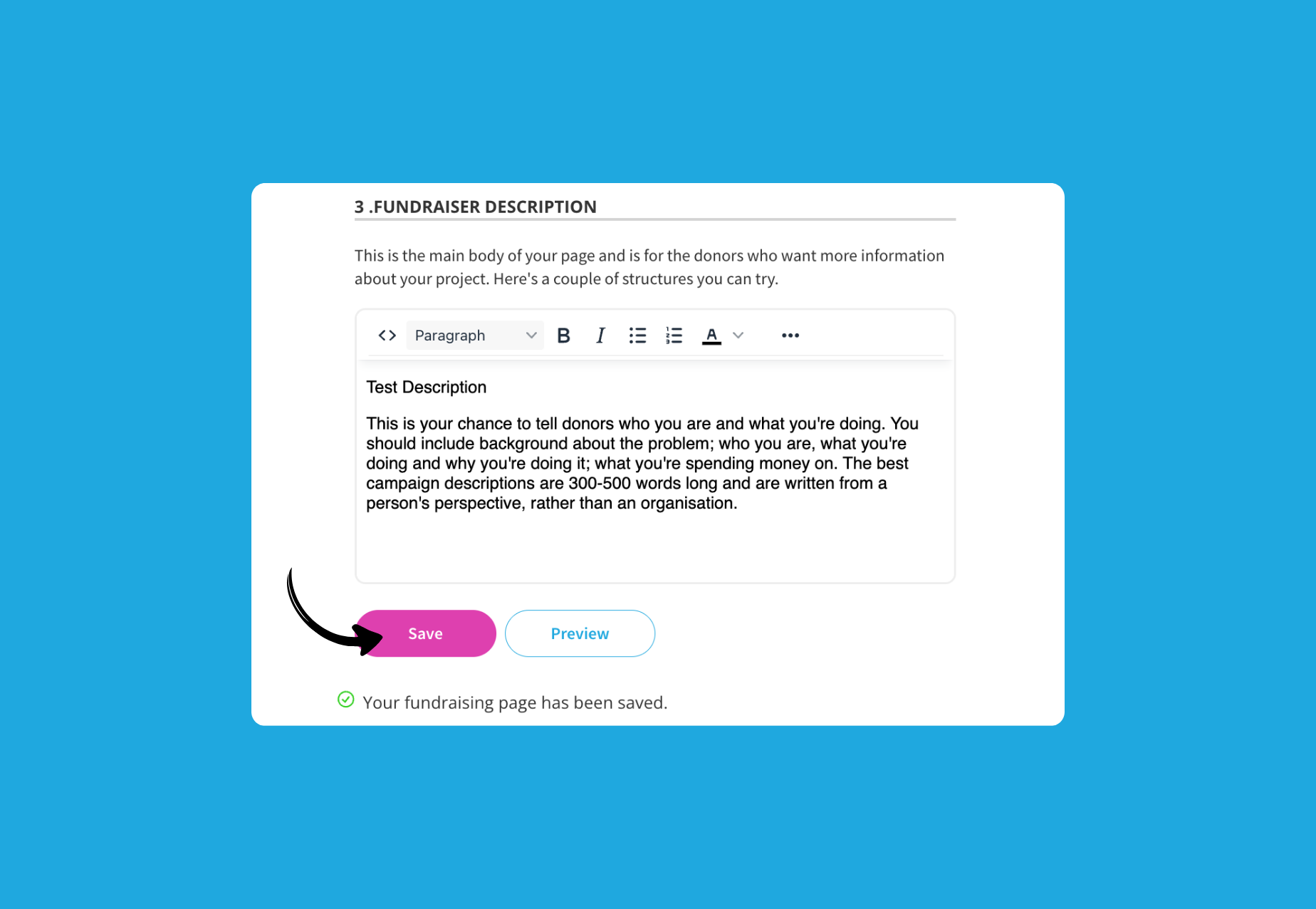
Once saved you can refresh the live fundraiser page to see the changes update.
Edit a team page
You can also edit team pages on behalf of your supporters.
Open the campaign editor and ensure you are logged in
Select Fundraisers under Optional Features →Team Setup
Click the ‘Edit Team’ option under the Team you’d like to update
You should see the Team page card expand
Update the Name field with the Team name
Upload a profile image if supplied
Edit the Target fundraising goal for the team
Click the ‘Update Team’ button to save your changes